01
The price arrives at once
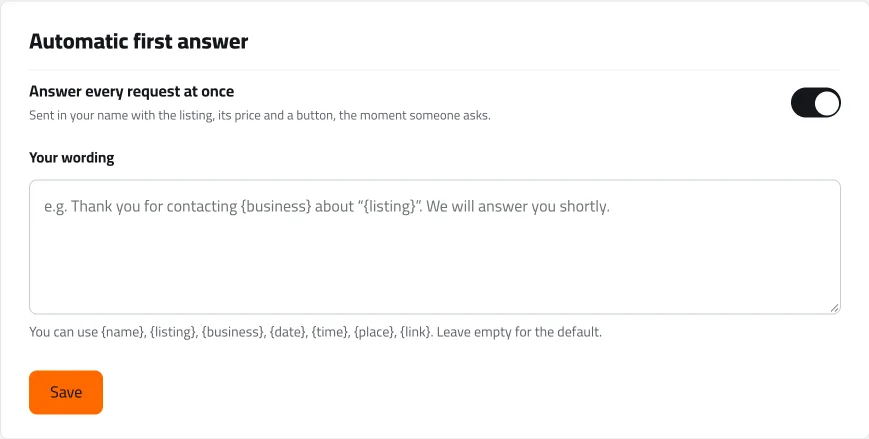
A buyer asks about a car by message and instantly gets a reply in your showroom’s name with the price and the details, and lands on your desk as a new customer instead of a message lost among the others.
For dealers
The showroom desk on cars.sy brings everyone who asks about your cars — by message, by revealing your number, on WhatsApp or by saving the listing — onto one board, answers every message with the price at once, and reminds you who is still waiting for a reply.


What you can do
A buyer asks about a car by message and instantly gets a reply in your showroom’s name with the price and the details, and lands on your desk as a new customer instead of a message lost among the others.
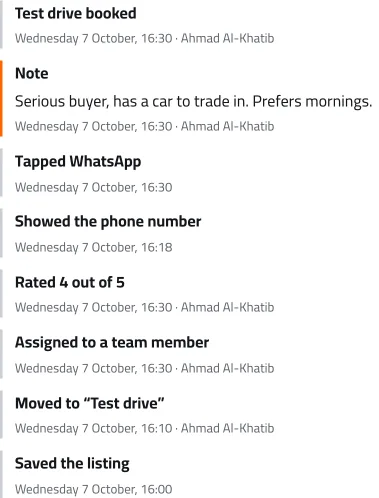
Revealed your number, opened WhatsApp, saved the car: every contact is recorded in the customer’s file with its time. You know who you are talking to and which car they asked about before you answer.
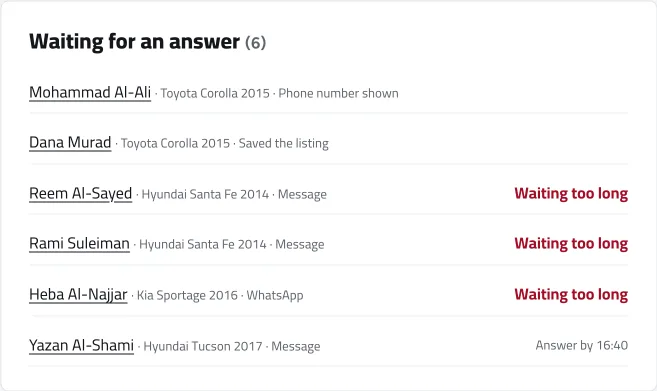
Next to every customer you have not answered is the time to answer by, and “Waiting too long” once you are late. After a quarter of an hour you get a reminder; after an hour the customer passes to a colleague, or you hand them over in one tap and their whole file goes with them.
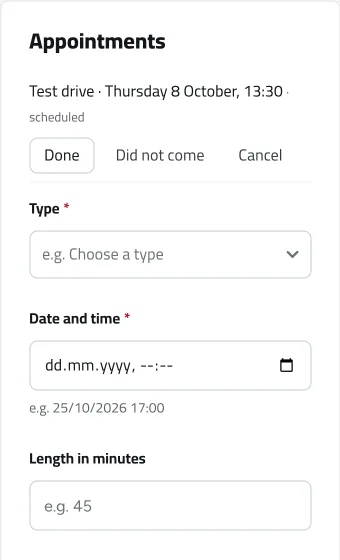
Book the test drive from the customer’s file. They get it with a calendar invitation, you and they get a reminder a day and an hour before, and the booking stays in the customer’s history.
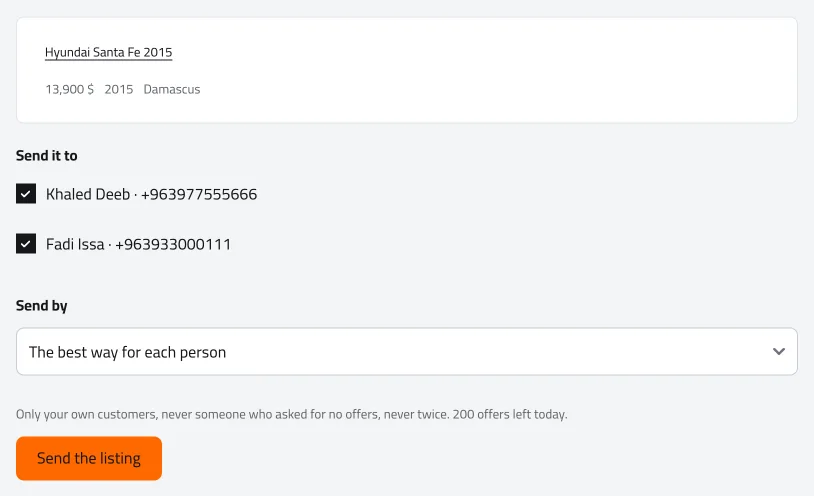
When you list a car that matches what earlier customers asked for, the desk tells you how many of them are looking for it, and you send them the offer from one place.
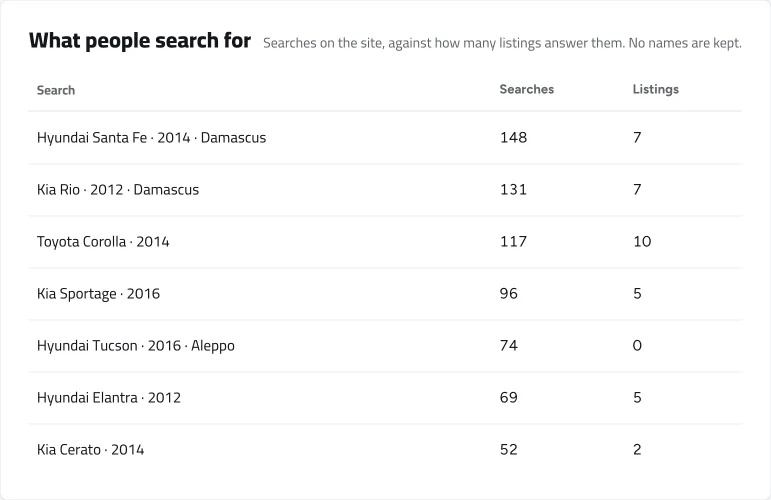
See what people search for on cars.sy against how many such cars are listed, and how your customers reached you: by message, by revealing your number, on WhatsApp or by saving the listing, with each listing’s views and requests.
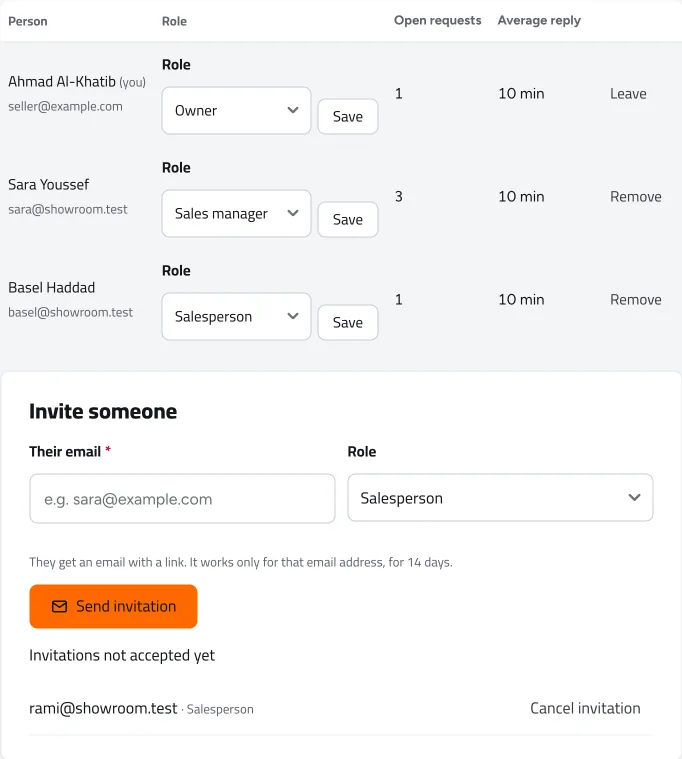
Invite your staff by email, each with a role: showroom owner, sales manager or salesperson. Every customer has someone in charge, and you see each person’s open customers and average reply time.
Before
After
Every question became a card: who they are, which car, what they did and who is in charge of them.
The app
The desk works in full in your phone’s browser: answer, open a customer’s file, book their appointment and hand them to a colleague, without opening a computer. And every new customer reaches you by email the moment they arrive.


How to start
Questions
Yes, the showroom desk is free for now.
Only you and the people you add to your showroom team. No other showroom sees your customers or their details.
No. The desk works in full in the browser, on a computer or a phone, and every new customer also reaches you by email.
Open the showroom desk and turn every question into a customer you know.